|
Add Ins
|
 
|
|
Add Ins
|
|
Add Ins
General Click the 'Options' menu to enter the
'Add Ins' browse screen.
This module
allows a list of shortcuts to programmes to be created and made available under
the 'Add Ins' menu.
Any number of items can be added, although only the first
20 will be displayed under the 'Add Ins' menu.
In this example, the Windows
Calculator has been added, allowing it to be run from within Class.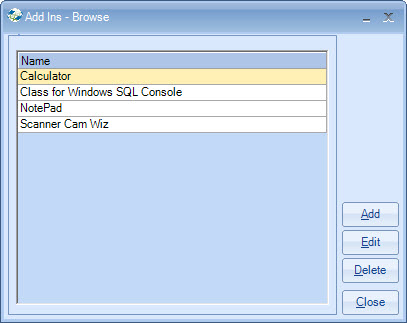
Click the Add or Edit buttons to
present you with the following screen:
Specify the Name of the item that will
appear in the menu, and also the Program Path that points to the
application run.
If the specified applications is not found, the
following error message will be shown when the OK button is clicked, indicating that the
correct path should be entered.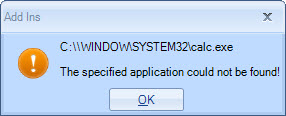
Copyright 2013
Infospeed Limited