|
UKBA SMS Bulk Import
|
 
|
|
UKBA SMS Bulk Import
|
|
UKBA SMS Bulk Import Import Instructions Bulk export files from the UKBA
website are downloaded as .zip compressed files that need to have their xml
files extracted using the extraction program from Windows XP or WinZip, for
example. Once the XML file has been extracted,
click the file browse button to locate the required XML file to be imported.
The first checks done on the file are
to ensure that all the CAS applications originated from a Class UKBA Export, and
that they are from the Class database (Company) that the user is currently
logged into. On successful validation of the
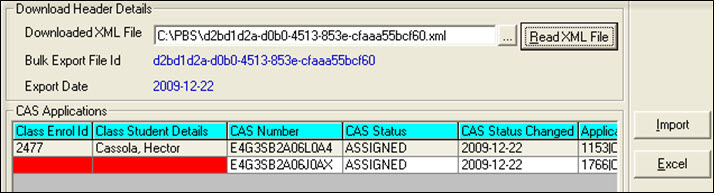
database, the applications in the batch will be shown in the grid. A CAS status
highlighted in red is an
indicator that the status is not 'Assigned'. If the fields
'Class Enrol ID' and 'Class Student Details' contain values but are yellow
it indicates that a
match has been found on the enrolment in Class, but one or more of the student
details do not match the import file (this could be due to a slight change in
the spelling of the student's name for example). If the fields
'Class Enrol ID' and 'Class Student Details' are red and no enrolment ID is present,
then the system was unable to match the import file details to a record in
Class. This will stop the import as all applications must be valid for a bulk
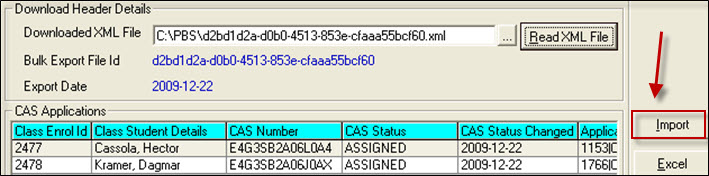
import to Class. Click 'Import' to extract the details
from the import file and update the relevant fields within the matched
enrolments.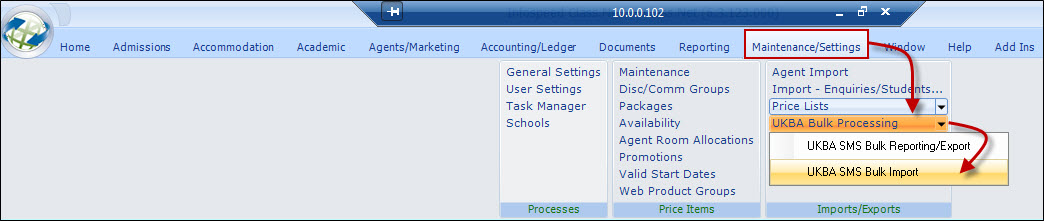
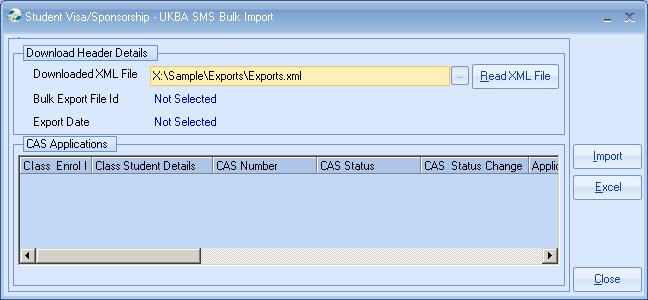
The
UKBA SMS Bulk Import allows batches of CAS Applications to be imported back into
Class.
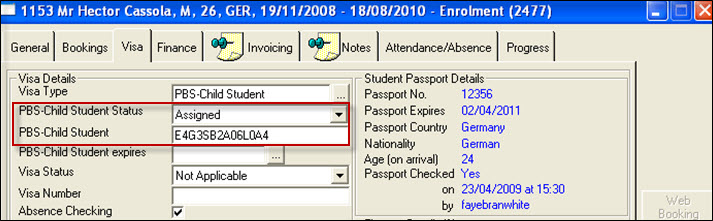
Once validated and imported, the matching Class enrolment details
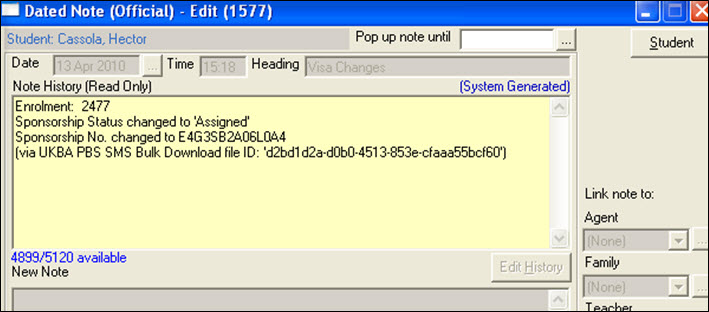
are updated with the relevant CAS Number and Status, as well as an official
Dated Note being created, stamping the date, time and File ID that the
information was updated from.
Click 'Read XML File' to open and validate the xml
file.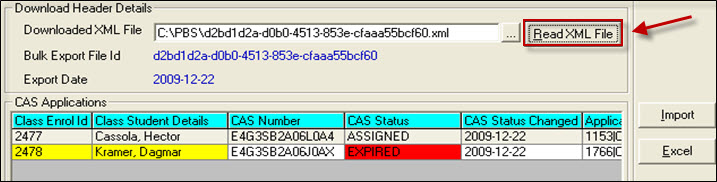
If any applications fail this test, the whole batch is rejected
as the system is unable to guarantee a correct match when linking back to the
enrolments in Class.
This is still a potentially valid import, but the user
should double-check that the matched
student is the correct enrolment.