|
Schools
|
 
|
|
Schools
|
|
Schools
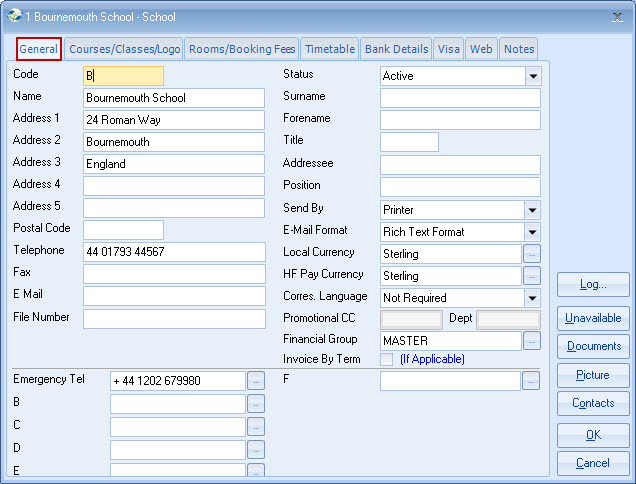
Main Functions Code Name/Address
etc Status Surname/Forename/Title/Addressee/Position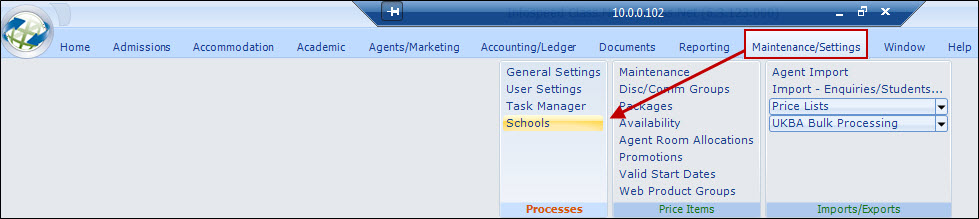
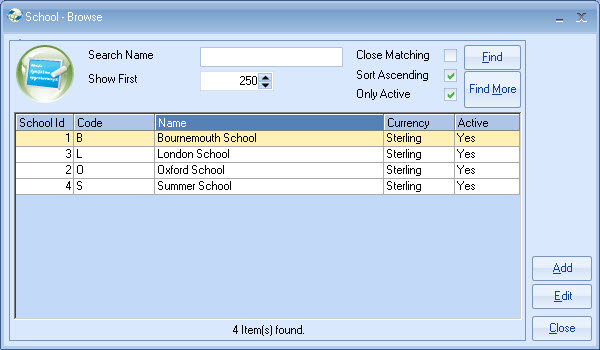
Adding new
schools
Editing existing school details
Making schools inactive
Mandatory - keep it
short, it can save time when entering, eg. "B" for Bournemouth
Self-explanatory
Set Inactive if the
School is no longer used.
Contact
details, maybe emergency contact for the school.
Send By/Email
Format/Correspondence Language
Default for 'School' documents
Local Currency
School
currency is used for:
Enabling host families to be paid in the "local"
currency.
Allowing the correct "Direct Agent"
(relevant to the school currency) to be used on extensions.
School currency
is not used for any accounting reports/purposes.
Host Family Pay
Currency
Currency for paying host families.
Correspondence
Language
Only used if multi-language documents are to be set up in
Class.
This will define the default language to be used for this
school.
Normally set as "Not Required".
Promotional CC
If many
schools are in use, and CC/Depts are used in breaking down the Nominal (General
Ledger) accounts then enter the CC/Dept for this school, otherwise leave blank.
If the system rules show CC/Depts not to be "in use", then the cells will be
greyed out (as per the sample screen).
The system will use the defaults when
setting accounting codes in "Promotions".
Analysis Fields
Set in
System Settings - can be made mandatory.
Analysis 1-6 are used for character
values (1-30 characters)
Analysis 7-8 are used for numerical values +/-
9,999,999 (whole numbers only)
Analysis 9-10 are date fields.
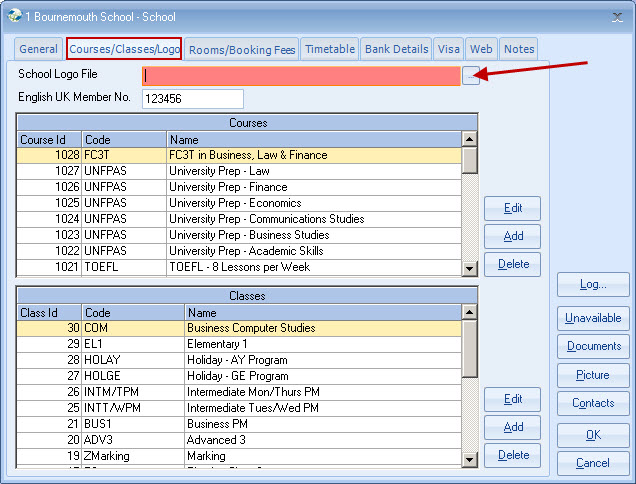
Courses/Classes/Logo
Reflects the Courses/Classes
in use by Class.
Logo
File location of the school logo file (use browse button to
find file).
The logo file can be used in a master document where a different
log is required for each school. Most schools have a single logo and therefore
the logo is "pasted" into each document, without the need for separate logos for
each school.
Class
Rooms/Booking Fees
Mainly for reference. Class Rooms may be added/edited
from this
tab.
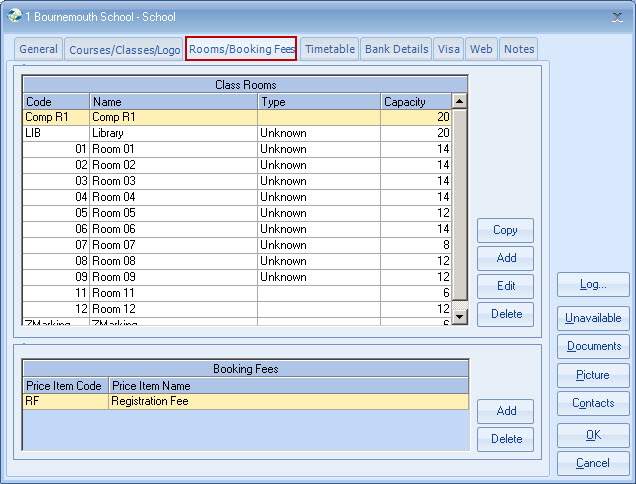
Booking Fees
Add any number
of Sundry Price Items.
All will be automatically charged when enrolments are
added for this school (subject to agent's rules).
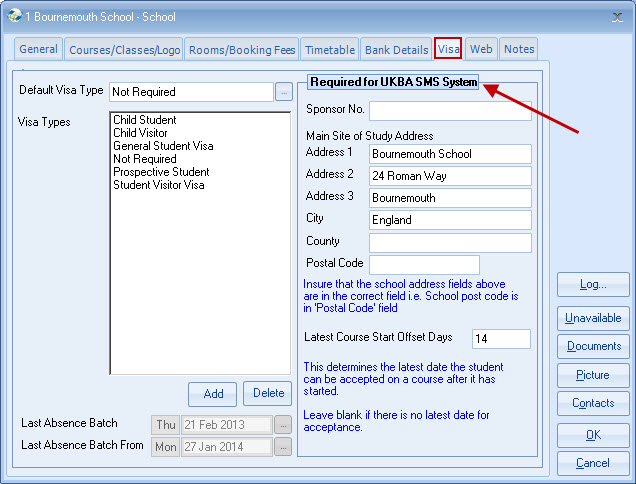
Visa Details
Assign the
list of visas that may be applicable to students attending the
school.
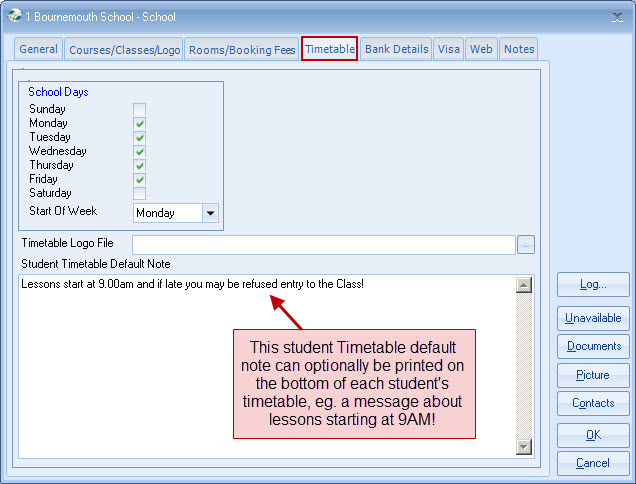
Timetable (used by Advanced
Timetabling)
Set school days and normal start day.
Visa Types
Visa type
default for this school.
Web
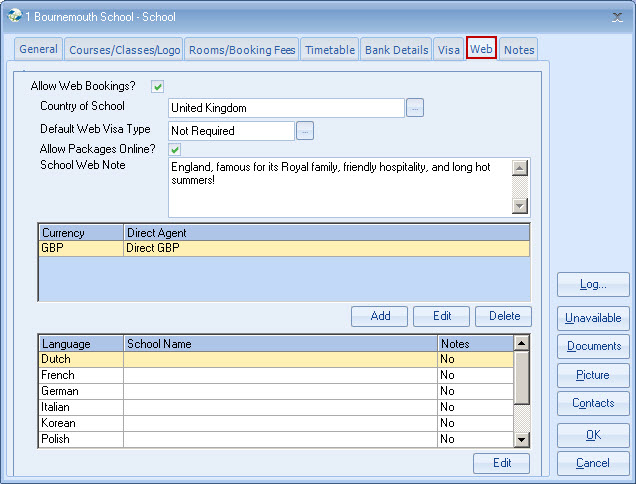
Allow Web
Bookings?
Set if the school is to be visible on the web
Country of
School
For web selection by country
Allow
Packages?
Select if
packages for this school are available on the web
School Web Note
A
description which may appear on the web
Verify Web Booking Currency
Options
Select which currencies (for invoicing) are available for
this school
Web Alternate
Languages
Web Name and Notes can be shown differently for each web
language
Account Admin
User
An admin user can have the following additional right:
Amend
the main username/password (top of screen)
Switch on/off the web enabling of
contacts
Access Sub
Agents
Permission to access the accounts of sub-agents (set up in
the table on the right side)
Contact Summary
Details
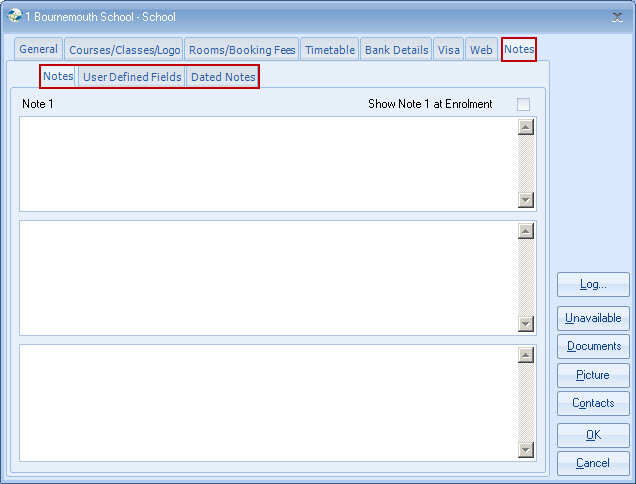
Notes
3 x Notepads and User Defined Fields and Dated
Notes.
These operate in the same way as elsewhere in the system.
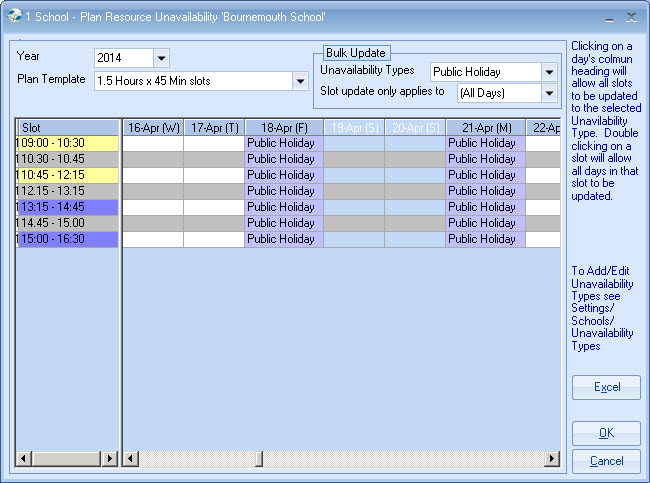
Unavailable
Used only by Advanced
Timetabling.
Enter school holidays/closures for each year.
Advanced
Timetabling will use this information for teachers, rooms and
classes.
Copyright 2013
Infospeed Limited